
Our services
Computer maintenance
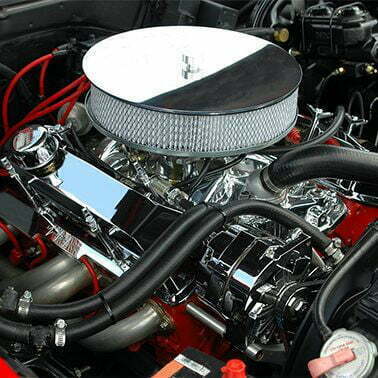
Computers are like cars
And just like cars, they need regularly scheduled maintenance. We recommend that all computers receive an annual maintenance and this is usually coordinated to coincide with the imminent expiry of your security software so that we can save you the hassle of upgrading it.
We also offer a free service to remind you when maintenance and/or security software renewal is due.
Some of the areas we look at when performing regular maintenance are listed below but you can read a more comprehensive list here.
Security
It is important that your security software is working correctly, has a current subscription and is up-to-date. Updating other programs, such as Adobe Reader, is also important. This helps stop Trojans potentially infecting your computer.
Temporary files
Most people know about their web browser’s temporary files and some even clear them regularly. But your computer creates far more temporary files during everyday use than just those. On their own they rarely cause problems — though infections often hide among them — but they do consume hard drive space and can slow down your browser over time.
Cooling
One of the most important maintenance issues is to do with the cooling system because computers generate a lot of heat in a very small space. If the cooling system is seriously under stress, the computer may attempt to save itself from literally melting by shutting off without warning. Sometimes you will get warning signs such as the computer running very slowly or random odd behaviour. In most cases however, people aren’t aware that this is caused by overheating. Believe it or not, due to experience, we can usually hear when a computer is overheating.
You can help avoid this issue by keeping a computer’s cooling vents clear of obstructions and vacuuming any dust buildup seen on them. A computer’s cooling intake vent usually includes a dust filter but if this becomes clogged with dust, the cooling system starts sucking in air via the outlet vent. Unlike the intake vent, the outlet vent has no dust filter, so dust flows directly onto the internal components and builds up over time, eventually causing overheating. Don’t try to clean these components yourself — they’re highly sensitive to static electricity, and vacuuming near them can cause damage.
startup apps
So many applications installed these days include a utility that also starts every time your computer starts. Often its purpose is just to make that application start faster, but when every program does it, the end result is that the whole computer runs slowly. Many of these programs are completely unnecessary but trying to sort the important ones from the useless ones is very difficult unless you know what you are doing.
Let us help you today
While we are striving to solve your particular problems, our staff will explain in clear, simple English what the issue is, how we are fixing it, and how you can prevent it in the future. We offer PC and MAC support as well, helping to service and solve a range of IT problems for desktop and laptop systems. If you are in need of our assistance, please contact Geeks to the Rescue via phone or email today!
Best of all, there is NO CALLOUT FEE!